


AIX Administration Complete Training
Overview Enterprise systems still power critical workloads, but AIX can feel difficult when commands, users, permissions and storage tools appear …
 89 Students
Course Curriculum
| Module 01: Introduction to IBM AIX Operating System | |||
| What is AIX? | 00:01:00 | ||
| Module 02: IBM Cloud Registration | |||
| Create a Free Tier Account on IBM Cloud | 00:02:00 | ||
| Upgrade Account to Pay as You Go | 00:02:00 | ||
| Estimating Cost for an AIX Logical Partition | 00:04:00 | ||
| Module 03: IBM Power Systems Virtual Server | |||
| Create a Power Systems Virtual Server | 00:04:00 | ||
| Build an AIX Logical Partition | 00:08:00 | ||
| Access AIX LPAR from Console and set ROOT Password | 00:02:00 | ||
| MAC users – Access AIX Server using Terminal | 00:04:00 | ||
| WINDOWS users – Access AIX Server using Putty | 00:03:00 | ||
| WINDOWS users – Customize Putty | 00:04:00 | ||
| Module 04: AIX Commands and Concepts | |||
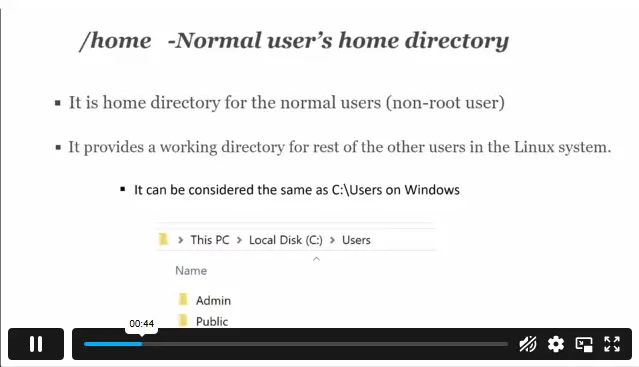
| Understanding the File System Hierarchy | 00:05:00 | ||
| Uptime and Date | 00:01:00 | ||
| Change Directory, PWD | 00:03:00 | ||
| Create and Remove a File or Directory | 00:02:00 | ||
| Listing Contents and Command Manual | 00:03:00 | ||
| Grep and Pipe | 00:01:00 | ||
| Copy and Move Commands | 00:04:00 | ||
| Working with VI Text Editor | 00:08:00 | ||
| Monitor System Performance with TOPAS | 00:01:00 | ||
| Stop and Start a Service | 00:02:00 | ||
| Check OS Version | 00:01:00 | ||
| Define File System Size (df command) | 00:01:00 | ||
| Restarting AIX Operating System | 00:02:00 | ||
| Module 05: User Administration plus Ownership and Permissions | |||
| Introduction to SMIT – System Management Interface Tool | 00:01:00 | ||
| Create USER in AIX | 00:04:00 | ||
| Create a GROUP in AIX | 00:01:00 | ||
| File and Directory Permissions | 00:07:00 | ||
| Changing Ownership and Permissions of a File | 00:03:00 | ||
| Module 06: IBM AIX Logical Volume Manager (LVM) | |||
| IBM AIX LVM (Logical Volume Manager) – Concepts | 00:03:00 | ||
| Map Additional Physical Volumes | 00:04:00 | ||
| Understanding Partition Size in AIX | 00:02:00 | ||
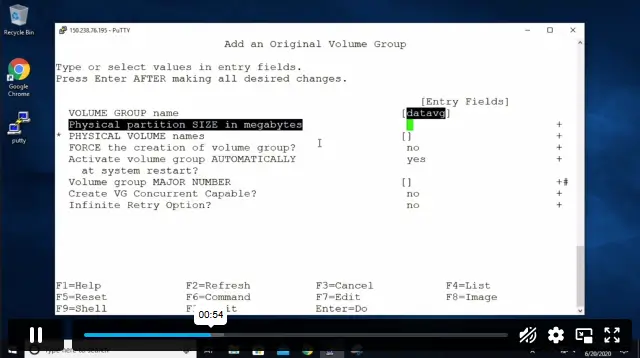
| Create a Volume Group using SMIT | 00:03:00 | ||
| Create a Logical Volume using SMIT | 00:03:00 | ||
| Create a File System using SMIT | 00:04:00 | ||
| Create a Volume Group with CLI (Command Line Interface) | 00:02:00 | ||
| Create a Logical Volume with CLI | 00:02:00 | ||
| Create a File System with CLI | 00:04:00 | ||
| Remove LV and FS from the Volume Group | 00:03:00 | ||
| Remove Volume Groups | 00:02:00 | ||
| Remove Physical Volumes | 00:03:00 | ||
| Assignment | |||
| Assignment – AIX Administration Complete Training | 00:00:00 | ||

AIX Administration Complete Training is an online course that introduces IBM AIX, IBM Cloud setup, Power Systems Virtual Server access, AIX commands, user administration, file permissions and Logical Volume Manager tasks for Unix server administration learners.
Yes. This course is suitable for learners building AIX knowledge step by step. Basic IT confidence can help, but the course starts with AIX foundations before moving into server access, commands, users, groups, permissions and storage tasks
IBM AIX is a Unix operating system used in enterprise server environments, especially with IBM Power systems. It supports business workloads where reliability, access control, storage management, performance monitoring and system administration are important.
You will learn IBM AIX basics, IBM Cloud setup, Power Systems Virtual Server access, AIX file structure, command-line tasks, VI editor use, TOPAS monitoring, user management, file permissions, volume groups, logical volumes and file systems.
Yes. This course can support learning for Unix system administration, AIX support, server administration, IT support and infrastructure pathways. Employers may still require hands-on experience, wider systems knowledge or role-specific technical skills..
Exclusive Deal! 95% Off, Today Only!
Offer Ends Soon
 Take All courses for £49

 Access
 Level
Level
 Number of Units
 Duration
 Course Type
- £24.99
- 1 year
- Intermediate
- Number of Units41
- Number of Quizzes0
- 1 hour, 59 minutes Gift this course
 14-Day Money-Back Guarantee
Exclusive Deal! 95% Off, Today Only!
Discounted Total:- 50% discount for orders of 10+ courses
- 60% discount for orders of 50+ courses
- 70% discount for orders of 100+ courses