trustpilot

Basic WordPress

Overview Many people want to create a website but feel confused by domain names, hosting services, and website setup. Without …

4.8 4.8 Rating ( 13 Reviews )
232 Students
Bestseller
Great Service
Highly Rated
i Last Updated: 18th August 2026
◎ English
Flexible Schedule
thumbnail

Unlock 3,000+ Courses & Unlimited Free Digital Certificates for £99 Only! Grab Now

Overview

Many people want to create a website but feel confused by domain names, hosting services, and website setup. Without the right guidance, building a professional-looking site can seem complicated, time-consuming, and expensive for beginners.

This Basic WordPress course simplifies the process by teaching the essential steps needed to launch and manage a website. You will learn how domains and hosting work, how to install WordPress, customise your site, and extend its features using plugins.

Whether you are starting a personal blog, business website, or portfolio, Basic WordPress provides a clear foundation. By the end of this Basic WordPress course, you will have the confidence to build, customise, and manage your own WordPress website with ease.

Key Benefits Included

► Accredited by CPD
► Endorsed by QLS (Quality Licence Scheme)
► Instant Access
► 24/7 Learning Assistance
► Self-paced learning and laptop, tablet, smartphone-friendly
► Fully online, interactive course with audio voiceover
► Developed by qualified professionals in the field

Sneak Peek

Learning Outcomes

► Create and configure a WordPress website from the ground up.
► Identify and register suitable domain names for websites.
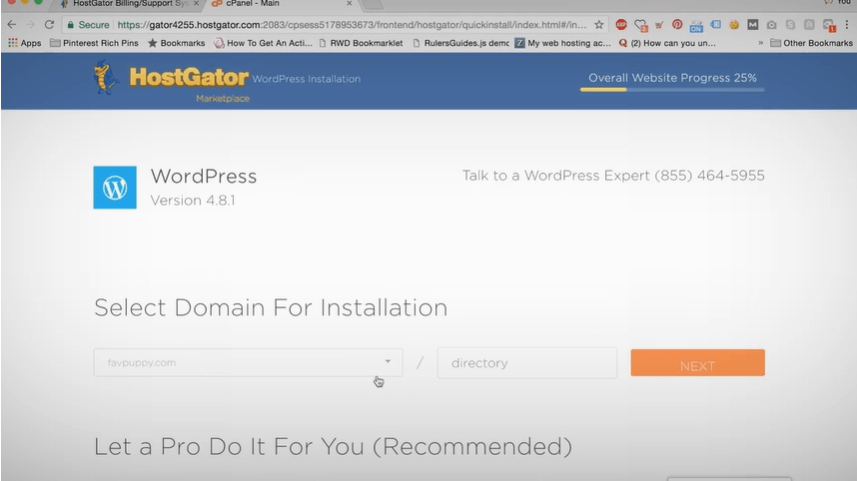
► Set up hosting and connect it to a WordPress installation.
► Customise themes, layouts, and website appearance effectively.
► Manage and install plugins to extend website functionality.

Who is This Course For?

► Beginners interested in creating their first website.
► Small business owners wanting an online presence.
► Freelancers and entrepreneurs launching personal brands.
► Bloggers looking to build and manage their own sites.
► Students interested in website development fundamentals.
► Anyone wanting to learn WordPress without technical experience.

Certification

CPD Certification

After successfully completing the assessment of this Basic WordPress course, you can apply for the CPD accredited certificates.
PDF certificate: £9.99
Hardcopy certificate: £15.99

Endorsed Certificate of Achievement from the Quality Licence Scheme

Upon successful completion of the Basic WordPress course, you can order an original hardcopy certificate of achievement endorsed by the Quality Licence Scheme. The certificate will be home-delivered, with a pricing scheme of —
► 119 GBP within UK
► 129 GBP for International Delivery — Postal Fees Included

Please Note: Thames College is a One Education approved resale partner for Quality Licence Scheme Endorsed courses

Career Opportunities

► WordPress Website Administrator – £24,000 to £38,000 per year
► Junior WordPress Developer – £25,000 to £40,000 per year
► Website Content Manager – £26,000 to £42,000 per year
► Digital Marketing Assistant – £24,000 to £37,000 per year
► Freelance Website Creator – £25,000 to £50,000+ per year

Course Curriculum

The course covers a wide range of essential topics, including:

► Intro to WordPress for Beginners

► What is a Domain Name?
► Picking a Domain NameModule 03: Hosting

► Set Up Hosting For Your Website

Module 04: WordPress for Beginners

► What is WordPress?
► Install WordPress

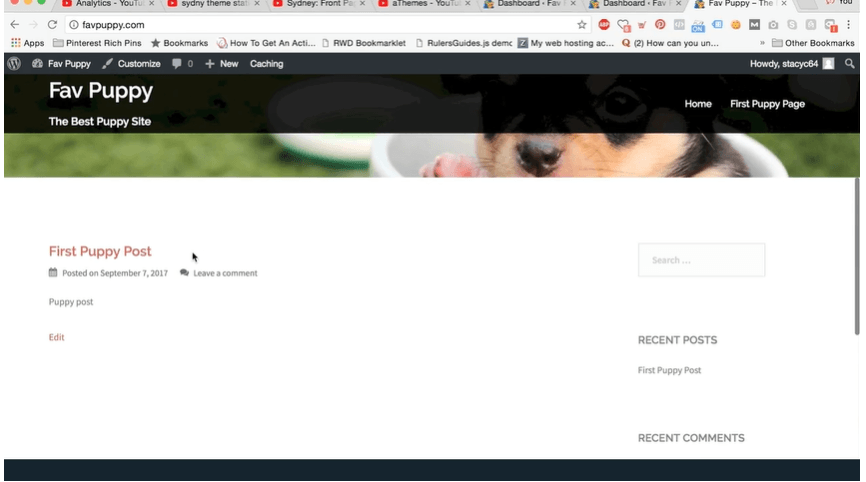
► Customise Your WordPress Site
► Make Your Site a Business Website

► Installing & Using the Best WordPress Plugins

► Thank You

Excellent

4.8 Average - 13 Reviews

★ Reviews
Finlay Ashcroft
This course made WordPress much easier to understand than I expected. The lessons on hosting, plugins, and site customisation were clear and organised, helping me build my first website with confidence.
Imogen Cartwright
A great beginner-friendly course with easy-to-follow explanations. I especially liked the sections on domains and WordPress setup, which helped me understand how websites work from start to finish.

Course Curriculum

Unit 01: Introduction
Module 01: Intro to WordPress for Beginners 00:02:00
Unit 02: Domain Name
Module 01: What is a Domain Name? 00:01:00
Module 02: Picking a Domain Name 00:03:00
Unit 03: Hosting
Module 01: Set Up Hosting For Your Website 00:03:00
Unit 04: WordPress for Beginners
Module 01: What is WordPress? 00:01:00
Module 02: Install WordPress 00:01:00
Unit 05: Customize Your WordPress Site
Module 01: Customize Your WordPress Site 00:10:00
Module 02: Make Your Site a Business Website 00:07:00
Unit 06: WordPress Plugins
Module 01: Installing & Using the Best WordPress Plugins 00:14:00
Unit 07: Thank You
Thank You 00:01:00
Assignment
Assignment – Basic WordPress 7 days

Certificate of Achievement

Upon completion, you will receive a CPD-accredited certificate recognised globally. Choose from:

Pdf Certificate & Transcript  £7.99
Hardcopy Certificate & Transcript  £17.99

This certification validates your knowledge and skills, boosting your employability in healthcare.

Course Reviews

  • 5 stars 0
  • 4 stars 0
  • 3 stars 0
  • 2 stars 0
  • 1 stars 0

N.A

ratings

No Reviews found for this course.

1. What will I learn in this Basic WordPress course? +

This course teaches the core steps involved in creating and managing a WordPress website. You will learn about domains, hosting, WordPress installation, site customisation, and plugins. The lessons are designed to help beginners build a website with confidence.

2. Is this Basic WordPress course suitable for beginners? +

Yes, the course is created specifically for beginners with little or no website-building experience. Topics are explained in a simple and structured way, making it easy to follow. You do not need any coding knowledge to start learning.

3. Do I need coding skills to use WordPress? +

No, WordPress is designed to be user-friendly and can be used without coding knowledge. Most website features can be managed through visual settings and plugins. This course focuses on helping learners create websites using WordPress tools and features.

4. Can I build a business website after completing this course? +

Yes, the course covers the fundamentals needed to create a business website, blog, portfolio, or personal site. You will learn how to customise pages, install useful plugins, and manage website content. These skills can help you launch a professional online presence.

5. How long does it take to complete the course? +

The course is self-paced, allowing you to learn according to your own schedule. Some learners finish within a few days, while others spread their studies over several weeks. You can revisit lessons whenever you need additional guidance.

top