trustpilot

Microsoft Access for Beginners

Overview Learn how to use Microsoft Access (Microsoft 365) to turn messy spreadsheets into neat, professional databases. This course is …

4 4 Rating ( 4 Reviews )
183 Students
Bestseller
Great Service
Highly Rated
i Last Updated: 15th June 2026
◎ English
Flexible Schedule
thumbnail

Unlock 3,000+ Courses & Unlimited Free Digital Certificates for £99 Only! Grab Now

Overview

Learn how to use Microsoft Access (Microsoft 365) to turn messy spreadsheets into neat, professional databases.

This course is easy to follow and teaches you how to make tables, build queries, design forms, and make clear reports that you can use right away. No technical jargon—just useful skills that will help you work more efficiently and manage data better.

Great for anyone who works with records, customers, or reports and wants to feel comfortable using Access.

Key Benefits Included

► Accredited by CPD
► Endorsed by QLS (Quality Licence Scheme)
► Instant Access
► 24/7 Learning Assistance
► Self-paced learning and laptop, tablet, smartphone-friendly
► Fully online, interactive course with audio voiceover
► Developed by qualified professionals in the field

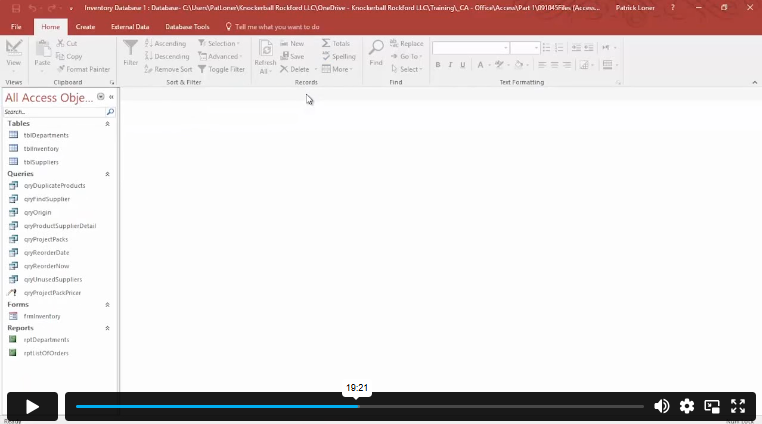
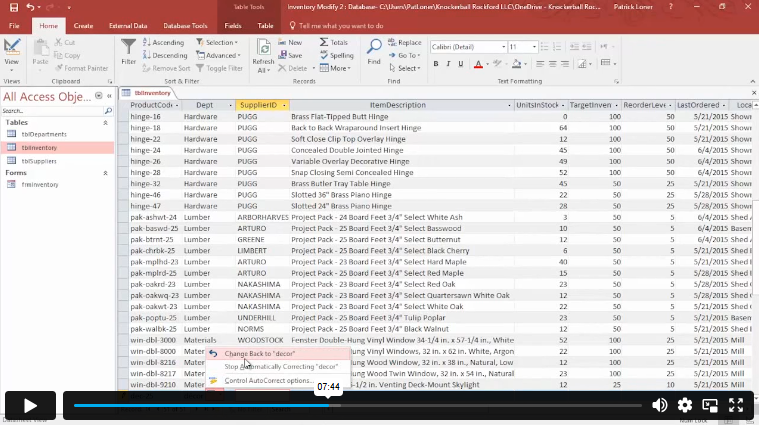
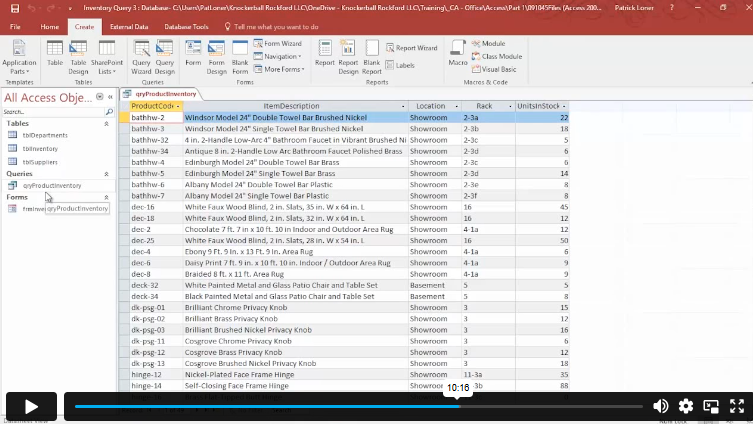
Sneak Peek

What You'll Learn

► Learn how Microsoft Access works and when it’s better than Excel.
► Make tables that are well-organised and have the right data types.
► Use relationships to set primary keys and link tables the right way.
► Make queries that let you quickly search, filter, and sort data.
► Write professional reports that make information easy to understand.
► Import data from Excel and send out reports when you need
► Put data in the right order to cut down on mistakes and duplicates.
► Make forms that are easy to use so that data can be entered quickly and accurately.

Who is This Course For?

It’s perfect for anyone who works with records, lists, or regular reports and is ready to move on from messy spreadsheets to a more organised and reliable system. This training will help you improve your data skills, whether you’re just starting out or already working in coordination, support, operations, or administrative roles. You’ll be able to use these skills every day.

Certification

CPD Certification

After successfully completing the assessment of this course, you can apply for the CPD accredited certificates.
PDF certificate: £9.99
Hardcopy certificate: £15.99

Endorsed Certificate of Achievement from the Quality Licence Scheme

Upon successful completion of the course, you can order an original hardcopy certificate of achievement endorsed by the Quality Licence Scheme. The certificate will be home-delivered, with a pricing scheme of —
► 149 GBP within UK
► 159 GBP for International Delivery — Postal Fees Included

Please Note: Thames College is a One Education approved resale partner for Quality Licence Scheme Endorsed courses

Career Opportunities

► Build your foundation: Start with this course to develop essential workplace skills in office administration, data coordination, record management, reporting, and operational support.
► Step into entry-level roles: Use your knowledge to apply for positions such as Office Assistant, Administrative Assistant, Data Coordinator, Records Clerk, or Operations Support Assistant.
► Gain practical experience: Strengthen your ability to manage documents, organise data, prepare reports, and support daily office processes while building hands-on experience in a professional setting.
► Upskill and expand responsibilities: Take on more complex tasks such as data analysis support, reporting coordination, workflow improvement, or compliance documentation as your confidence grows.
► Advance your career: Progress into roles like Office Manager, Operations Executive, Administrative Coordinator, or Business Support Specialist, continuing to develop leadership and organisational expertise.

Course Curriculum

The course covers a wide range of essential topics, including:

► Orientation to Microsoft Access
► Create a Simple Access Database
► Get Help and Configure Options in Microsoft Access

► Modify Table Data
► Sort and Filter Records

► Create Basic Queries
► Sort and Filter Data in a Query
► Perform Calculations in a Query

► Create Basic Access Forms
► Work with Data on Access Forms

► Create a Report
► Add Controls to a Report
► Enhance the Appearance of a Report
► Prepare a Report for Print
► Organize Report Information
► Format Reports

Excellent

4.9 Average - 4 Reviews

★ Reviews
Nathan Reed
The query and reporting sections helped me understand how databases can organise information efficiently.
Sophia Mitchell
I liked that the course started with basic concepts and gradually moved into database functions.

Course Curriculum

Module 01
Orientation to Microsoft Access 00:39:00
Create a Simple Access Database 00:10:00
Get Help and Configure Options in Microsoft Access 00:06:00
Module 02
Modify Table Data 00:17:00
Sort and Filter Records 00:05:00
Module 03
Create Basic Queries 00:15:00
Sort and Filter Data in a Query 00:14:00
Perform Calculations in a Query 00:08:00
Module 04
Create Basic Access Forms 00:07:00
Work with Data on Access Forms 00:23:00
Module 05
Create a Report 00:12:00
Add Controls to a Report 00:12:00
Enhance the Appearance of a Report 00:05:00
Prepare a Report for Print 00:03:00
Organize Report Information 00:15:00
Format Reports 00:12:00
Workbooks
Workbooks: Microsoft Access for Beginners 00:00:00
Mock Exam
Mock Exam- Microsoft Access for Beginners 00:20:00
Final Exam
Final Exam- Microsoft Access for Beginners 00:20:00
Assignment
Assignment – Microsoft Access for Beginners 1 week, 2 days

Certificate of Achievement

Upon completion, you will receive a CPD-accredited certificate recognised globally. Choose from:

Pdf Certificate & Transcript  £7.99
Hardcopy Certificate & Transcript  £17.99

This certification validates your knowledge and skills, boosting your employability in healthcare.

Course Reviews

  • 5 stars 0
  • 4 stars 0
  • 3 stars 0
  • 2 stars 0
  • 1 stars 0

4

4
4 ratings

No Reviews found for this course.

1. Do I need any experience before taking this course? +

No prior experience is required. This course is designed for complete beginners. Everything is explained step by step, from the very basics to building your own database.

2. Which version of Microsoft Access is used in this course? +

This course is based on Microsoft Access 365, the most up-to-date version included in Microsoft 365.

3. Do I need Microsoft Excel before learning Access? +

No. While basic Excel knowledge can help, it is not required. The course focuses fully on Microsoft Access and explains everything clearly.

4. How long does it take to complete the course? +

You can study at your own pace. Most learners complete the course within a few weeks of part-time study, but you will have one year of access to finish comfortably.

5. Will I receive a certificate after completion? +

Yes. Upon successful completion, you will receive a Quality Licence Scheme endorsed certificate. A CPD Accredited certificate is also available.

top