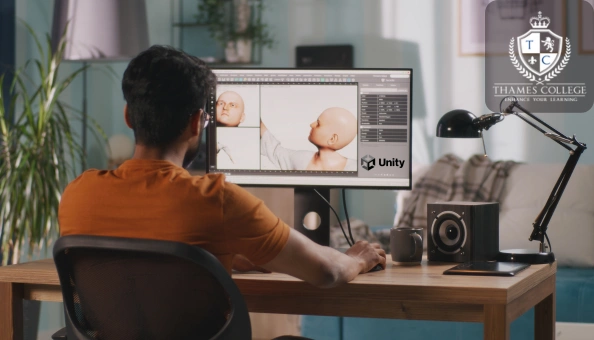
3D Humanoid Characters in Unity
Course Curriculum
| Module 01: Introduction | |||
| Welcome | 00:01:00 | ||
| Module 02: Creating and Rigging Characters | |||
| Using Autodesk’s Character Generator | 00:09:00 | ||
| Creating characters with Adobe Fuse | 00:08:00 | ||
| Auto-rigging with Adobe Mixamo | 00:03:00 | ||
| Applying animation to rigged characters in Mixamo | 00:03:00 | ||
| Importing an Autodesk character into Adobe Mixamo | 00:03:00 | ||
| Selecting and animating a fantasy character within Mixamo | 00:04:00 | ||
| Exploring commercial rigged and animated characters | 00:03:00 | ||
| Module 03: Setting the Scene | |||
| Using Unity Hub to install the Unity Editor | 00:06:00 | ||
| Configuring Unity’s user interface | 00:04:00 | ||
| Importing and setting up an architectural model | 00:07:00 | ||
| Importing selected standard assets | 00:05:00 | ||
| Rendering lightmap data for static objects | 00:05:00 | ||
| Module 04: Character Materials, Textures and Normal Maps | |||
| Configuring packages | 00:03:00 | ||
| Creating Cinemachine virtual cameras | 00:08:00 | ||
| Importing a character into Unity | 00:06:00 | ||
| Combining texture maps in Photoshop | 00:09:00 | ||
| Shaders and render modes for eyes and eyelashes | 00:05:00 | ||
| Configuring hair material and texture maps | 00:05:00 | ||
| Combining textures with alpha channel using Gimp | 00:05:00 | ||
| Module 05: Third-Person Character Control | |||
| Exploring an avatar’s bones and muscles | 00:05:00 | ||
| Referencing a controller in the animator component | 00:07:00 | ||
| Controlling the character with scripts and components | 00:07:00 | ||
| Altering code to make the character walk by default | 00:06:00 | ||
| Altering the script to walk and not run diagonally | 00:05:00 | ||
| Module 06: Configuring Characters and Cameras | |||
| Set up Cinemachine FreeLook camera | 00:03:00 | ||
| Fine-tune free look rigs | 00:07:00 | ||
| Replacing animations in controller | 00:07:00 | ||
| Integrating a death animation into controller | 00:07:00 | ||
| Scripting death by falling | 00:05:00 | ||
| Walking upstairs using colliders from hidden ramps | 00:05:00 | ||
| Module 07: Making Characters Easily Interchangeable | |||
| Bringing in a new character | 00:04:00 | ||
| Designing a third person player game object | 00:06:00 | ||
| Connecting FreeLook camera to third person player | 00:03:00 | ||
| Swapping out characters within the third person player | 00:03:00 | ||
| Using legacy characters | 00:06:00 | ||
| Using high quality commercial characters | 00:07:00 | ||
| Making character prefabs and overrides | 00:06:00 | ||
| Module 08: Refining Look with Cinemachine Extensions | |||
| Using the Cinemachine collider extension | 00:06:00 | ||
| Setting up post-processing and anti-aliasing | 00:04:00 | ||
| Configuring post-processing effects | 00:06:00 | ||
| Module 09: Animating Stationary Characters | |||
| Commercial animated stationary characters | 00:07:00 | ||
| Custom animated stationary characters | 00:06:00 | ||
| Providing seating for an animated character | 00:04:00 | ||
| Cropping an animation on humanoid rig | 00:06:00 | ||
| Module 10: Making Non-Player Characters Artificially Intelligent | |||
| Bring in a new character to be driven by Ai | 00:04:00 | ||
| Configuring components on Ai character | 00:04:00 | ||
| Building and refining the nav mesh | 00:05:00 | ||
| Getting agents to climb stairs | 00:03:00 | ||
| Creating off-mesh links | 00:03:00 | ||
| Making nav mesh obstacles | 00:06:00 | ||
| Implementing high-cost areas for the Ai | 00:06:00 | ||
| Abstracting NPC for use with other skins & avatars | 00:06:00 | ||
| Module 11: Converting the Simulation into a Game | |||
| Outlining the goal of the game | 00:03:00 | ||
| Getting the NPC to chase the Player | 00:03:00 | ||
| Getting a hold of the Player’s Animator through code | 00:08:00 | ||
| Logging NPC’s collision with Player to console | 00:06:00 | ||
| Stopping the NPC and killing the Player | 00:07:00 | ||
| Offsetting the death animation | 00:03:00 | ||
| Allowing NPC to take leap with off-mesh link | 00:07:00 | ||
| Module 12: Building a User Interface | |||
| Adding user interface with canvases and buttons | 00:09:00 | ||
| Toggling defeat canvas on when NPC collides with Player | 00:04:00 | ||
| Differentiating between victory and defeat in code | 00:09:00 | ||
| Refining the NavMesh for fluid Ai movement | 00:03:00 | ||
| Building a GameManager class and game object | 00:08:00 | ||
| Connecting Restart buttons to setting bool Property true | 00:05:00 | ||
| Module 13: Playing with Game Controllers | |||
| Connecting controller and testing in game | 00:01:00 | ||
| Mapping the Fire2 axis to run | 00:07:00 | ||
| Mapping the Fire1 axis to crouch | 00:05:00 | ||
| Mapping analogue stick to Cinemachine FreeLook camera | 00:05:00 | ||
| Fine tuning how analog game stick controls camera | 00:05:00 | ||
| Module 14: Conclusion | |||
| Building and playing standalone game | 00:05:00 | ||
| Bonus | 00:01:00 | ||
| Assignment | |||
| Assignment – 3D Humanoid Characters in Unity | 00:00:00 | ||

Course Reviews
No Reviews found for this course.