


Adobe After Effects Training
An online Adobe After Effects Training course teaching motion graphics, visual effects, animation techniques and project workflows — CPD certified for creative skill development.
4.7
4.7 Rating ( 8 Reviews )  186 Students
186 StudentsBestseller
Great Service
Highly Rated
Trending


Course Curriculum
| Course Promo | |||
| Learn After Effects for Social Media Promo | 00:01:00 | ||
| Project #1(Beginner) - Create an Instagram Story | |||
| Quick Introduction | 00:01:00 | ||
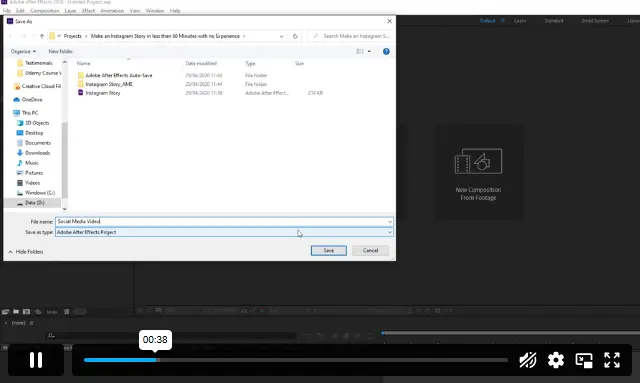
| Set up Our Project File | 00:04:00 | ||
| Add Our Background and Animate it | 00:06:00 | ||
| Throw in Some Text | 00:06:00 | ||
| Animate the Text In and Out | 00:11:00 | ||
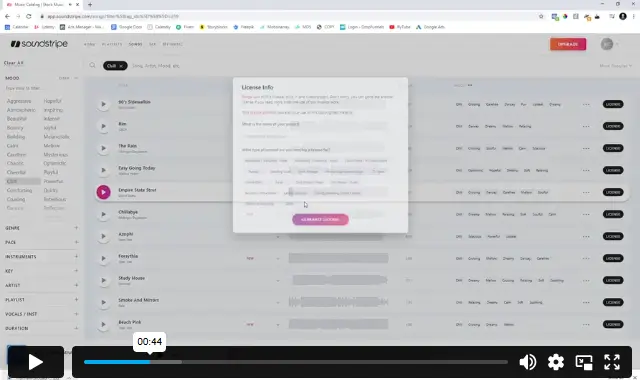
| Music, Render | 00:05:00 | ||
| Project #2 (Intermediate) - Create "Viral Style" Text Boxes and Learn Animation | |||
| Create a Text Box and Align | 00:04:00 | ||
| The Anchor Point & Scaling | 00:06:00 | ||
| Animating the Text Box | 00:04:00 | ||
| Fit the Text in the Box | 00:05:00 | ||
| The Grand Reveal | 00:04:00 | ||
| Render and Congratulations | 00:08:00 | ||
| Project#3 (Advanced) Screen Capture and Web Presentation Project | |||
| Screen Capture Software | 00:05:00 | ||
| Replace a Phone or Laptop Screen | 00:10:00 | ||
| Create a “3D” Display | 00:09:00 | ||
| PROJECT – Create your own Web Browser | 00:16:00 | ||
| Project #4 (Advanced) Create a Social Media Animated Poster | |||
| Social Media Project Introduction | 00:02:00 | ||
| The Master Plan | 00:08:00 | ||
| Time to Design | 00:16:00 | ||
| Trim Paths | 00:04:00 | ||
| Animate Your Image | 00:06:00 | ||
| Let’s Talk About Text | 00:17:00 | ||
| Shake that Button | 00:09:00 | ||
| Texture, Render, Congratulations | 00:11:00 | ||
| Assignment | |||
| Assignment – Adobe After Effects Training | 6 days, 4 hours | ||

Course Reviews
No Reviews found for this course.
Olivia Hughes: +
It teaches animation and motion graphics through real project-based learning.
2. Do I need experience before starting this course? +
No, it begins with beginner-level projects and progresses to advanced work.
3. What software do I need? +
You need Adobe After Effects installed on your device
4. Can I use these skills for freelance work? +
Yes, animation and video content skills are widely used in freelance projects.
5. How long does it take to complete the course? +
It depends on your pace, but you can complete it quickly with regular practice.
£24.99
Exclusive Deal! 92% Off, Today Only!
Offer Ends Soon
 Take All courses for £49

This course includes:
 Access
 Level
Level
 Number of Units
 Duration
 Course Type
- £24.99
- 1 year
- Level 3
- Number of Units26
- Number of Quizzes0
- 6 days, 6 hours Gift this course
 14-Day Money-Back Guarantee
£24.99
/Unit Price
Exclusive Deal! 95% Off, Today Only!
Discounted Total:£120.00
Quantity:
Buying more than one of the same courses?
- 50% discount for orders of 10+ courses
- 60% discount for orders of 50+ courses
- 70% discount for orders of 100+ courses
Looking for a more personalised package?
Contact Us Now