


Adobe Illustrator CC
Overview Struggling to create clean and professional designs can make your work look unpolished and limit your chances in the …
4.7
4.7 Rating ( 7 Reviews )  101 Students
 101 Students
Bestseller
Great Service
Highly Rated
Trending


Course Curriculum
| Section 01: Getting Started | |||
| Learning Objectives | 00:03:00 | ||
| Understanding Raster | 00:03:00 | ||
| A Crash Course In Graphic File Formats | 00:05:00 | ||
| Section 02: Getting Comfortable in the Illustrator Environment | |||
| Opening, Creating and Working with Multiple Documents | 00:10:00 | ||
| A Tour Of The Illustrator Interface | 00:10:00 | ||
| Customizing The Illustrator Environment | 00:09:00 | ||
| Saving Saving Interface Workspaces | 00:03:00 | ||
| Zooming and Navigation Techniques | 00:11:00 | ||
| Using Illustrator’s Outline Mode | 00:02:00 | ||
| Section 03: Working With Selections | |||
| Using the Selection Tool | 00:05:00 | ||
| Using the Direct Selection Tool | 00:05:00 | ||
| Free-Handing Selections With The Lasso Tool | 00:04:00 | ||
| Selecting Objects Based On Colour | 00:05:00 | ||
| Advanced Selection Techniques | 00:05:00 | ||
| Saving and Reloading Selections | 00:04:00 | ||
| Section 04: Drawing Shapes | |||
| Drawing Rectangles and Squares | 00:08:00 | ||
| Drawing Ovals and Circles | 00:02:00 | ||
| Drawing Rounded Rectangles, Polygons and Stars | 00:07:00 | ||
| Drawing Lines, Arcs and Grids | 00:05:00 | ||
| Drawing With The Pencil Tool (And Erasing Mistakes) | 00:06:00 | ||
| Understanding Vector Paths | 00:03:00 | ||
| Introducing Illustrator Brushes | 00:09:00 | ||
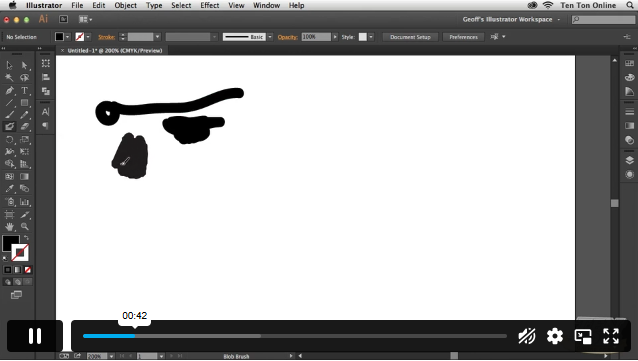
| Using The Blob Brush | 00:06:00 | ||
| Section 05: Managing Objects | |||
| Moving And Duplicating Objects | 00:05:00 | ||
| Scaling, Rotating, Reflecting, Sheering | 00:09:00 | ||
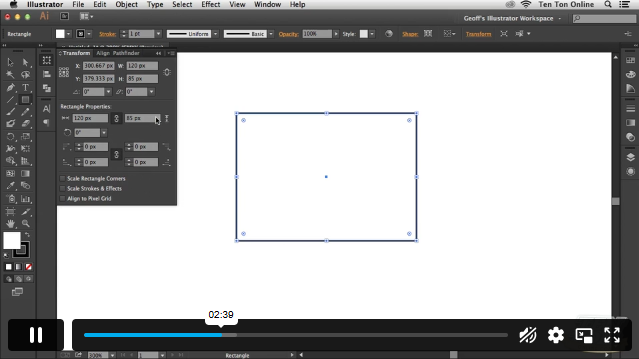
| Precisely Transforming And Positioning Objects | 00:07:00 | ||
| Precise Positioning Using The Transform Panel | 00:05:00 | ||
| Automatically Calculating In The Transform Panel | 00:04:00 | ||
| Controlling Stacking Order | 00:03:00 | ||
| Grouping And Ungrouping Objects | 00:05:00 | ||
| Locking And Hiding | 00:04:00 | ||
| Aligning And Spacing Objects Apart | 00:06:00 | ||
| Aligning To A Key Object | 00:02:00 | ||
| Section 06: Working With Colour | |||
| Methods For Applying Fills And Strokes | 00:11:00 | ||
| Setting Stroke Options | 00:05:00 | ||
| Creating A Dashed Outline Effect | 00:04:00 | ||
| Exploring Illustrator’s Swatch Libraries | 00:06:00 | ||
| Mixing And Saving Custom Colours | 00:08:00 | ||
| Creating, Saving, And Using Custom Gradients | 00:11:00 | ||
| Filling Objects With Patterns | 00:04:00 | ||
| Copying Fills And Strokes | 00:05:00 | ||
| Section 07: Working With Type | |||
| Creating Point And Area Type | 00:06:00 | ||
| Importing Large Amounts Of Text | 00:07:00 | ||
| Formatting Text | 00:11:00 | ||
| Area Type Options | 00:04:00 | ||
| Creating Type on a Path | 00:06:00 | ||
| Converting Text To Shapes | 00:03:00 | ||
| Section 08: Going Further With Illustrator | |||
| Introducing Layers | 00:09:00 | ||
| Using Illustrator’s Pathfinders | 00:06:00 | ||
| Applying Special Effects | 00:12:00 | ||
| Exploring The Appearance Pane | 00:07:00 | ||
| Section 09: Saving and Exporting Your Work | |||
| Saving Your Work In Different File Formats | 00:08:00 | ||
| Saving Your Work For The Web | 00:08:00 | ||
| Section 10: Wrapping Up | |||
| Where to Go From Here | 00:05:00 | ||

1. What is Adobe Illustrator CC used for? +
It is used to create vector graphics such as logos, icons, and illustrations.
2. Do I need prior experience to start? +
No, the course is suitable for beginners and builds step by step.
3. What can I create after completing the course? +
You can design logos, graphics, and marketing materials.
4. Is Illustrator good for freelance work? +
Yes, many freelancers use it for graphic design projects
5. How long does it take to complete the course? +
Most learners complete it within a few weeks depending on practice time
£24.99
Exclusive Deal! 92% Off, Today Only!
Offer Ends Soon
 Take All courses for £49

This course includes:
 Access
 Level
Level
 Number of Units
 Duration
 Course Type
- £24.99
- 1 year
- Intermediate
- Number of Units54
- Number of Quizzes0
- 5 hours, 26 minutes Gift this course
 14-Day Money-Back Guarantee
£24.99
/Unit Price
Exclusive Deal! 95% Off, Today Only!
Discounted Total:£120.00
Quantity:
Buying more than one of the same courses?
- 50% discount for orders of 10+ courses
- 60% discount for orders of 50+ courses
- 70% discount for orders of 100+ courses
Looking for a more personalised package?
Contact Us Now