


Advanced Excel Course (Formula, VLOOKUP & Power Query)
Overview Messy spreadsheets slow reports, hide errors and make everyday business decisions harder. With UK workplace digital skills remaining a …
 129 Students


Course Curriculum
| Excel: Top 50 Microsoft Excel Formulas in 50 Minutes! | |||
| How to Get the most of the course | 00:01:00 | ||
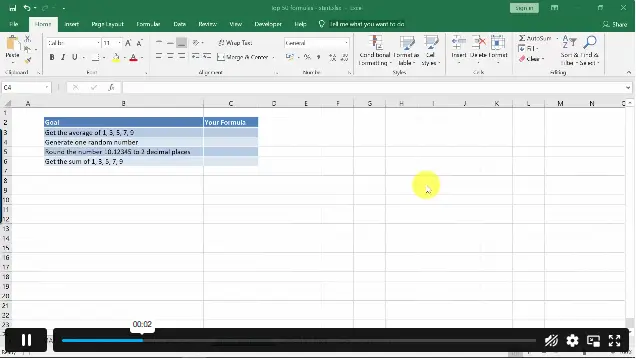
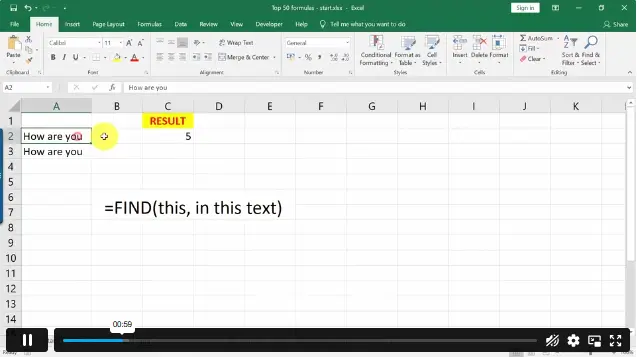
| Text formulas in Excel | 00:08:00 | ||
| Text Formulas Exercise | 00:01:00 | ||
| Text Formulas Exercise (answers) | 00:01:00 | ||
| Mathematical Formulas In Excel | 00:04:00 | ||
| Mathematical Formulas Exercise | 00:01:00 | ||
| Mathematical Formulas Exercise (answers) | 00:01:00 | ||
| Date and Time Formulas In Excel | 00:06:00 | ||
| Date and Time Formulas Exercise | 00:01:00 | ||
| Date and Time Exercise Formulas (answers) | 00:01:00 | ||
| Logic Formulas In Excel | 00:12:00 | ||
| Logic Formula Exercise | 00:01:00 | ||
| Logic Formula Exercise (answers) | 00:01:00 | ||
| Financial Formula In Excel | 00:06:00 | ||
| Financial Formula Exercise | 00:01:00 | ||
| Financial Formula Exercise (answers) | 00:02:00 | ||
| Informational Formula In Excel | 00:04:00 | ||
| Informational Formula Exercise | 00:01:00 | ||
| Informational Formula Exercise (answers) | 00:01:00 | ||
| VLOOKUP: Master Excel Formula VLOOKUP in 60 minutes! | |||
| Menu Example with Excel Vlookup | 00:08:00 | ||
| Wildcard Search with Excel Vlookup | 00:09:00 | ||
| Looking to the Left with Excel Vlookup | 00:17:00 | ||
| 2-Way Lookup | 00:14:00 | ||
| Comparing Lists with Excel Vlookup | 00:03:00 | ||
| Microsoft Excel Vlookup Tips and Tricks | 00:14:00 | ||
| Microsoft Excel: Master Power Query in 120 Minutes! | |||
| Power Query Intro and Excel version | 00:03:00 | ||
| Excel Power Query – Introduction | 00:03:00 | ||
| Enabling M in Power Query | 00:02:00 | ||
| Transform Data – Trim in Excel Power Query | 00:05:00 | ||
| Transform Data – Format Dates and Values in Excel Power Query | 00:02:00 | ||
| Simple Expressions | 00:08:00 | ||
| Simple Expressions – Nested Expressions | 00:03:00 | ||
| Transform Data – Parsing URLs in Excel Power Query | 00:05:00 | ||
| Variables | 00:08:00 | ||
| Microsoft Excel Keyboard Shortcuts | |||
| Formatting Excel Keyboard Shortcuts | 00:02:00 | ||
| Table Excel Keyboard Shortcuts | 00:02:00 | ||
| Editing Excel Keyboard Shortcuts | 00:05:00 | ||
| Formula Excel Keyboard Shortcuts | 00:03:00 | ||
| Workbook Excel Keyboard Shortcuts | 00:02:00 | ||
| Handy Excel Shortcuts Keyboard Shortcuts | 00:05:00 | ||
| Assignment | |||
| Assignment – Advanced Excel Course (Formula, VLOOKUP & Power Query) | 1 week, 4 days | ||
| Order Your Certificate | |||
| Order Your Certificate QLS | 00:00:00 | ||

The Advanced Excel Course is an online training programme covering Excel formulas, VLOOKUP, Power Query, M Language, shortcuts, data cleaning, reporting, and spreadsheet analysis for learners who want stronger workplace Excel confidence.
Yes, this course is suitable for learners who know basic Excel and want to progress into more confident spreadsheet use. It explains formulas, lookup functions, Power Query, shortcuts, and data-handling techniques in a structured way.
You will learn key Excel formulas, VLOOKUP techniques, Power Query basics, M Language concepts, keyboard shortcuts, data cleaning, list comparison, reporting support, and ways to manage spreadsheet information more efficiently.
Yes, the course includes VLOOKUP topics such as wildcard searches, left lookups, two-way lookups, list comparison, and useful lookup tips to help learners find, match, and compare data across spreadsheets.
Yes, learners explore Power Query for data preparation, including trimming data, formatting dates and values, parsing URLs, using expressions, understanding variables, and transforming spreadsheet data for cleaner reporting workflows.
Exclusive Deal! 92% Off, Today Only!
Offer Ends Soon
 Take All courses for £49

 Access
 Level
Level
 Number of Units
 Duration
 Course Type
- £24.99
- 1 year
- Level 4
- Number of Units42
- Number of Quizzes0
- 1 week, 4 days Gift this course
 14-Day Money-Back Guarantee
Exclusive Deal! 95% Off, Today Only!
Discounted Total:- 50% discount for orders of 10+ courses
- 60% discount for orders of 50+ courses
- 70% discount for orders of 100+ courses