


Advanced Diploma in Microsoft Excel
An online Advanced Microsoft Excel Diploma teaching complex formulas, pivot tables, macros, data analysis and automation — ideal for professionals seeking Excel mastery.
4.8
4.8 Rating ( 19 Reviews )  332 Students
 332 Students
Bestseller
Great Service
Highly Rated
Trending


Course Curriculum
| Unit 01: Excel from A-Z Course Introduction | |||
| Excel from A-Z Course Intro | 00:03:00 | ||
| Excel Job Opportunities | 00:03:00 | ||
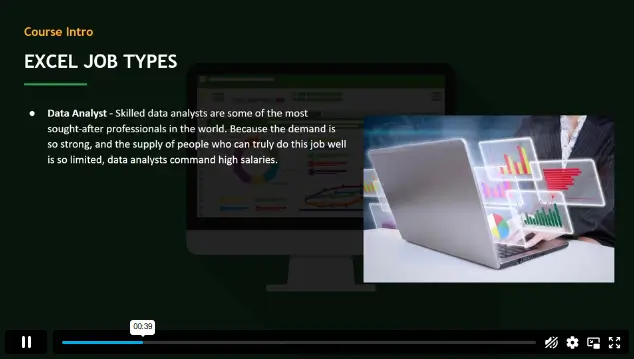
| Excel Job Types | 00:04:00 | ||
| Microsoft Excel Marketplace | 00:04:00 | ||
| What is Microsoft Excel? | 00:04:00 | ||
| Who is This Course For? | 00:03:00 | ||
| Unit 02: Getting Started With Excel | |||
| Finding & Opening Excel | 00:01:00 | ||
| Excel’s Start Screen | 00:03:00 | ||
| Explaining the Excel Interface | 00:03:00 | ||
| Excel Interface Continued | 00:01:00 | ||
| Excel Workbook vs. Excel Worksheet | 00:02:00 | ||
| Saving an Excel Document | 00:04:00 | ||
| Customizing the Quick Access Toolbar | 00:02:00 | ||
| Customizing the Excel Ribbon | 00:03:00 | ||
| Excel Shortcut Keys | 00:02:00 | ||
| Unit 03: Values, Referencing and Formulas | |||
| Creating Excel Labels | 00:03:00 | ||
| Entering Numeric Values in Excel | 00:03:00 | ||
| Formatting Date Values in Excel | 00:05:00 | ||
| Building Basic Formulas in Excel | 00:05:00 | ||
| Order of Operations | 00:06:00 | ||
| Relative vs. Absolute Cell References | 00:07:00 | ||
| Unit 04: Intro to Excel Functions | |||
| Excel Functions Explained | 00:03:00 | ||
| The SUM() Function | 00:08:00 | ||
| The MIN() & MAX() Function | 00:04:00 | ||
| The AVERAGE() Function | 00:02:00 | ||
| COUNT() Functions | 00:05:00 | ||
| Unit 05: Adjusting Excel Worksheets | |||
| Moving & Copying Data | 00:07:00 | ||
| Insert & Delete Rows and Columns | 00:05:00 | ||
| Adjusting the Width and Height of Cells | 00:05:00 | ||
| Hiding and Unhiding Excel Rows and Columns | 00:04:00 | ||
| Renaming, Moving & Deleting Excel Worksheets | 00:05:00 | ||
| Adding Protection to Specific Cells | 00:04:00 | ||
| Protecting the Structure of a Workbook | 00:02:00 | ||
| Adding a Workbook Password to Open File | 00:02:00 | ||
| Unit 06: Visually Pleasing Cell Formatting | |||
| Formatting Fonts and Cell Background Color | 00:05:00 | ||
| Adding Cell Borders | 00:05:00 | ||
| Formatting Data Appropriately | 00:05:00 | ||
| The Magic behind Excel’s Format Painter | 00:03:00 | ||
| Creating Styles for Formatting Efficiency | 00:06:00 | ||
| Merging Cells for a Cleaner Look | 00:03:00 | ||
| The Power of Conditional Formatting | 00:06:00 | ||
| Unit 07: How to Insert Images and Shapes! | |||
| Grab User’s Attention using Illustrations | 00:09:00 | ||
| Customizing Icons | 00:05:00 | ||
| Create Compelling Graphics with SmartArt | 00:06:00 | ||
| Unit 08: Visualize Data with Charts | |||
| The Commonly Used Column Chart | 00:03:00 | ||
| Changing the Chart Design.mp4 | 00:02:00 | ||
| Formatting Elements of a Chart | 00:06:00 | ||
| Modifying the Data, Type & Location of a Chart | 00:06:00 | ||
| Unit 09: Excel’s Printing Options | |||
| Print Preview Options | 00:04:00 | ||
| Excel’s Page Layout View | 00:07:00 | ||
| Printing a Specific Range of Cells | 00:03:00 | ||
| Converting Spreadsheets to PDF Files | 00:02:00 | ||
| Unit 10: Benefits of Using Excel Templates | |||
| Why Create an Excel Template | 00:01:00 | ||
| How to Create an Excel Template | 00:05:00 | ||
| Unit 11: Working with Excel Datasets | |||
| How to Prepare Data for Analysis | 00:04:00 | ||
| How to Sort Data in Excel | 00:03:00 | ||
| Multi-Level Sorting | 00:03:00 | ||
| Custom Sorting Datasets in Excel | 00:02:00 | ||
| Applying Filters to Datasets | 00:05:00 | ||
| Creating Subtotals within a Dataset | 00:06:00 | ||
| Converting Datasets into Tables | 00:06:00 | ||
| Little Slice of Pie Charts | 00:05:00 | ||
| Finding & Removing Duplicate Values | 00:07:00 | ||
| Unit 12: Excel Database Functions | |||
| The SUMIF() Function | 00:09:00 | ||
| The DSUM() Function | 00:08:00 | ||
| The DSUM() Function Cont. | 00:07:00 | ||
| The SUBTOTAL() Function | 00:06:00 | ||
| Unit 13: Excel Data Validation | |||
| What is Excel Data Validation? | 00:02:00 | ||
| Creating a Drop Down List with Data Validation | 00:07:00 | ||
| Different Types of Excel Data Validation | 00:06:00 | ||
| Adding Custom Alerts to Data Validation | 00:07:00 | ||
| Creating a Dynamic Drop Down List | 00:03:00 | ||
| Complex Validation: Dependent Drop Down List! | 00:09:00 | ||
| Unit 14: Excel PivotTables | |||
| Creating an Excel Pivot Table | 00:06:00 | ||
| Modifying Excel PivotTables | 00:06:00 | ||
| Grouping & Filtering PivotTable Data | 00:06:00 | ||
| Drilling Down into PivotTable Data | 00:02:00 | ||
| Creating Pivot Charts & Utilizing Slicers | 00:08:00 | ||
| Unit 15: Excel’s PowerPivot Add-In | |||
| What is PowerPivot? | 00:04:00 | ||
| Activating the Excel PowerPivot Add-In | 00:02:00 | ||
| Creating Relationships between Data Tables.mp4 | 00:06:00 | ||
| Using Data Models to Create PivotTables | 00:05:00 | ||
| How to Create PowerPivot KPI’s | 00:08:00 | ||
| Unit 16: Excel’s Conditional Functions | |||
| Excels IF Function | 00:05:00 | ||
| IF() Function with AND() Criteria | 00:05:00 | ||
| IF() Function with OR() Criteria | 00:05:00 | ||
| Nesting Multiple IF() Functions | 00:07:00 | ||
| The COUNTIF() Function | 00:04:00 | ||
| Key Benefits of Named Ranges | 00:04:00 | ||
| Unit 17: Excel’s Lookup Function | |||
| VLOOKUP() Function | 00:09:00 | ||
| The Beauty of Excel’s IFERROR() Function | 00:04:00 | ||
| HLOOKUP() Function | 00:06:00 | ||
| The INDEX Function | 00:05:00 | ||
| MATCH() Function | 00:05:00 | ||
| INDEX() and MATCH() Combined | 00:05:00 | ||
| Two-Way Lookup with INDEX() and MATCH() | 00:04:00 | ||
| Unit 18: Text Based Functions in Excel | |||
| LEFT(), RIGHT() and MID() Function | 00:07:00 | ||
| Extracting Specific Text using LEN() & SEARCH() | 00:13:00 | ||
| Combining Text with CONCATENATE() | 00:06:00 | ||
| Quick Tips & Other Text Based Functions | 00:06:00 | ||
| Unit 19: Auditing Formulas and Views in Excel | |||
| Tracing Precedents & Dependents in Formulas | 00:04:00 | ||
| Showing Formulas | 00:02:00 | ||
| Grouping Data | 00:03:00 | ||
| 3D Referencing in Formulas | 00:05:00 | ||
| Utilizing the Watch Window in Excel | 00:03:00 | ||
| How to Freeze Panes in Excel | 00:03:00 | ||
| Unit 20: Excel’s “what If?” Tools | |||
| Excel’s Scenario Manager Tool | 00:06:00 | ||
| Goal Seek in Excel | 00:06:00 | ||
| Compare Results with Excel Data Tables | 00:04:00 | ||
| Solver Tool | 00:11:00 | ||
| Unit 21: Welcome to Excel VBA | |||
| The Power Behind Excel VBA | 00:03:00 | ||
| A Look Inside the Visual Basic Editor (VBE) | 00:04:00 | ||
| Recording a Macro | 00:09:00 | ||
| Saving & Opening a Macro-Enabled Workbook | 00:02:00 | ||
| Unit 22: The VBA Language | |||
| Modules and Procedures | 00:07:00 | ||
| Objects, Methods and Properties | 00:06:00 | ||
| Excel VBA Variables | 00:05:00 | ||
| Unit 23: Writing VBA Code | |||
| Referencing a Range | 00:13:00 | ||
| InputBox & MsgBox | 00:06:00 | ||
| Using Variables in VBA Code | 00:05:00 | ||
| If Then Else Statement | 00:10:00 | ||
| Worksheet Functions inside VBA | 00:08:00 | ||
| Creating User Defined Functions | 00:09:00 | ||
| User Defined Functions within VBA Scripts | 00:06:00 | ||
| Unit 24: Important VBA Tools and Logic | |||
| Find Last Row of Data | 00:06:00 | ||
| Find Last Column of Data | 00:03:00 | ||
| With Statement | 00:05:00 | ||
| Debugging & Error Handling | 00:07:00 | ||
| Debugging & Error Handling Cont. | 00:07:00 | ||
| Unit 25: Excel VBA Loop | |||
| For Next Loop | 00:09:00 | ||
| Do Until Loop | 00:06:00 | ||
| For Each Loop | 00:04:00 | ||
| Unit 26: Triggering Macros | |||
| Assigning Macros to Shapes | 00:04:00 | ||
| Form Controls vs ActiveX Controls | 00:08:00 | ||
| Worksheet Events | 00:04:00 | ||
| Workbook Events | 00:03:00 | ||
| Fun with VBA Events! | 00:07:00 | ||
| Unit 27: Excel User Forms | |||
| Creating an Excel UserForm | 00:03:00 | ||
| Adding Controls to UserForms | 00:10:00 | ||
| How to Show an UserForm | 00:03:00 | ||
| Passing TextBox Values to Desired Cells | 00:07:00 | ||
| Passing Option Buttons to Desired Cells | 00:07:00 | ||
| UserForm ComboBoxes | 00:08:00 | ||
| Clearing Values from UserForm Controls | 00:03:00 | ||
| How to Close an UserForm | 00:02:00 | ||
| UserForms and Protected Sheets | 00:05:00 | ||
| Unit 28: Starting a Career in Excel | |||
| Creating an Excel Resume | 00:05:00 | ||
| Getting Started with Freelancing | 00:06:00 | ||
| How to Become an Excel Freelancer | 00:05:00 | ||
| Top Freelance Websites | 00:05:00 | ||
| How to Get Your First Client | 00:08:00 | ||
| Personal Branding | 00:07:00 | ||
| Networking Do’s and Don’ts | 00:04:00 | ||
| Importance of Having a Website | 00:04:00 | ||
| Resources | |||
| Resources – Advanced Diploma in Microsoft Excel | 00:00:00 | ||
| Assignment | |||
| Assignment – Advanced Diploma in Microsoft Excel | 3 weeks, 4 days | ||
| Order Your Certificate | |||
| Order Your Certificate QLS | 00:00:00 | ||

Course Reviews
1. What will I learn in Advanced Diploma in Microsoft Excel? +
You will learn Excel from basics to advanced data analysis, reporting, and VBA automation.
2. Do I need prior Excel experience? +
No, the course starts from basic level and gradually moves to advanced topics.
3. Will I learn automation in Excel? +
Yes, you will learn VBA and macros to automate repetitive tasks.
4. Is this course useful for office jobs? +
Yes, Excel skills are widely used in office, finance, and data roles.
5. Can this help me get a better job? +
Yes, strong Excel skills improve employability across many industries.
£24.99
Exclusive Deal! 95% Off, Today Only!
Offer Ends Soon
 Take All courses for £49

This course includes:
 Access
 Level
Level
 Number of Units
 Duration
- £24.99
- 1 year
- Level 7
- Number of Units157
- Number of Quizzes0
- 3 weeks, 5 days Gift this course
 14-Day Money-Back Guarantee
£24.99
/Unit Price
Exclusive Deal! 95% Off, Today Only!
Discounted Total:£120.00
Quantity:
Buying more than one of the same courses?
- 50% discount for orders of 10+ courses
- 60% discount for orders of 50+ courses
- 70% discount for orders of 100+ courses
Looking for a more personalised package?
Contact Us Now