


Affinity Designer
Overview Many beginners struggle to create clean digital artwork because design software often feels confusing and difficult to manage. This …
4.9
4.9 Rating ( 2 Reviews )  33 Students
 33 Students
Bestseller
Great Service
Highly Rated
Trending

Course Curriculum
| Module 01: Introduction | |||
| What Is Affinity Designer? | 00:03:00 | ||
| Take A Look Around and Explore the Interface | 00:08:00 | ||
| Module 02: Creating New Documents | |||
| Create New Documents | 00:03:00 | ||
| Manage Already Created Documents | 00:03:00 | ||
| View Your Documents | 00:05:00 | ||
| Use the View Modes | 00:04:00 | ||
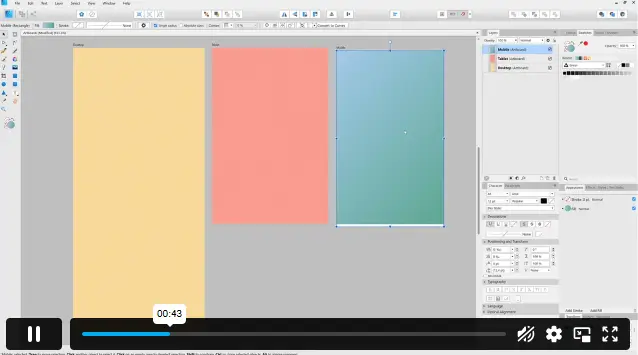
| Module 03: How to Use Artboards | |||
| What Are Artboards | 00:02:00 | ||
| How to Add and Remove Artboards | 00:05:00 | ||
| Manage Your Artboards | 00:04:00 | ||
| Export the Artboards | 00:03:00 | ||
| Module 04: How to Draw Shapes in Affinity Designer | |||
| The Drawing Shapes Tools | 00:07:00 | ||
| Use Shape Presets | 00:04:00 | ||
| Use the Pen Tool | 00:06:00 | ||
| Use Brushes in Affinity Designer | 00:04:00 | ||
| Add Gradients Using the Fill Tool | 00:03:00 | ||
| Use Symbols | 00:04:00 | ||
| Use the Drawing Modes to Simulate Masking | 00:04:00 | ||
| Module 05: How to Customize Your Artwork | |||
| Use the Corner Tool | 00:04:00 | ||
| Use the Point Transform Tool | 00:07:00 | ||
| Add Multiple Strokes and Fills | 00:06:00 | ||
| Use the Vector Crop Tool | 00:02:00 | ||
| Module 06: How to Transform Your Artwork | |||
| Rotate, Reflect Move and Resize Objects | 00:04:00 | ||
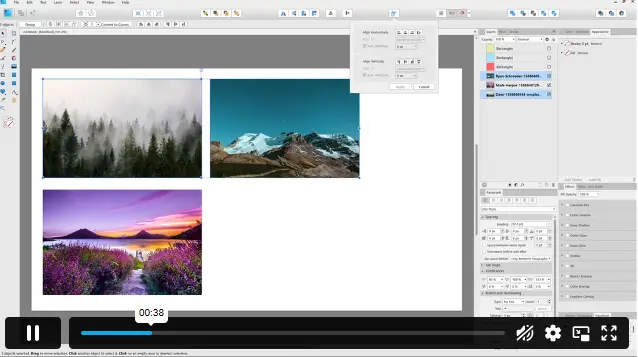
| Align and Distribute Objects | 00:04:00 | ||
| Create Complex Shapes from Simple Objects | 00:05:00 | ||
| Module 07: How to Work with Text in Affinity Designer | |||
| Create Artistic Text | 00:04:00 | ||
| Create Paragraphs | 00:04:00 | ||
| Create Text on A Path | 00:04:00 | ||
| Add Guides and Column Guides | 00:04:00 | ||
| Module 08: How to Use the Most Important Panels | |||
| Working with Layers and The Layers Panel | 00:03:00 | ||
| Layer Clipping and Masking | 00:04:00 | ||
| Use the Stroke Panel | 00:03:00 | ||
| Use the Effects Panel | 00:04:00 | ||
| Use the History Panel | 00:03:00 | ||
| Module 09: How to Save, Print and Export Your Artwork | |||
| Saving and Printing Your Artwork | 00:04:00 | ||
| Saving by Exporting | 00:04:00 | ||
| Using the Export Persona | 00:04:00 | ||
| Module 10: Summary | |||
| Thanks for Taking This Course | 00:01:00 | ||
| Assignment | |||
| Assignment -Affinity Designer | 00:00:00 | ||

£24.99
Exclusive Deal! 92% Off, Today Only!
Offer Ends Soon
 Take All courses for £49

This course includes:
 Access
 Level
Level
 Number of Units
 Duration
 Course Type
- £24.99
- 1 year
- Intermediate
- Number of Units38
- Number of Quizzes0
- 2 hours, 30 minutes Gift this course
 14-Day Money-Back Guarantee
£24.99
/Unit Price
Exclusive Deal! 95% Off, Today Only!
Discounted Total:£120.00
Quantity:
Buying more than one of the same courses?
- 50% discount for orders of 10+ courses
- 60% discount for orders of 50+ courses
- 70% discount for orders of 100+ courses
Looking for a more personalised package?
Contact Us Now