trustpilot

Artwork in Photoshop

Overview Creative skills power opportunity; the UK creative industries supported around 2.4 million jobs in the year to June 2024. …

4.8 4.8 Rating ( 7 Reviews )
64 Students
Bestseller
Great Service
Highly Rated
i Last Updated: 13th August 2026
◎ English
Flexible Schedule
thumbnail

Unlock 3,000+ Courses & Unlimited Free Digital Certificates for £99 Only! Grab Now

Overview

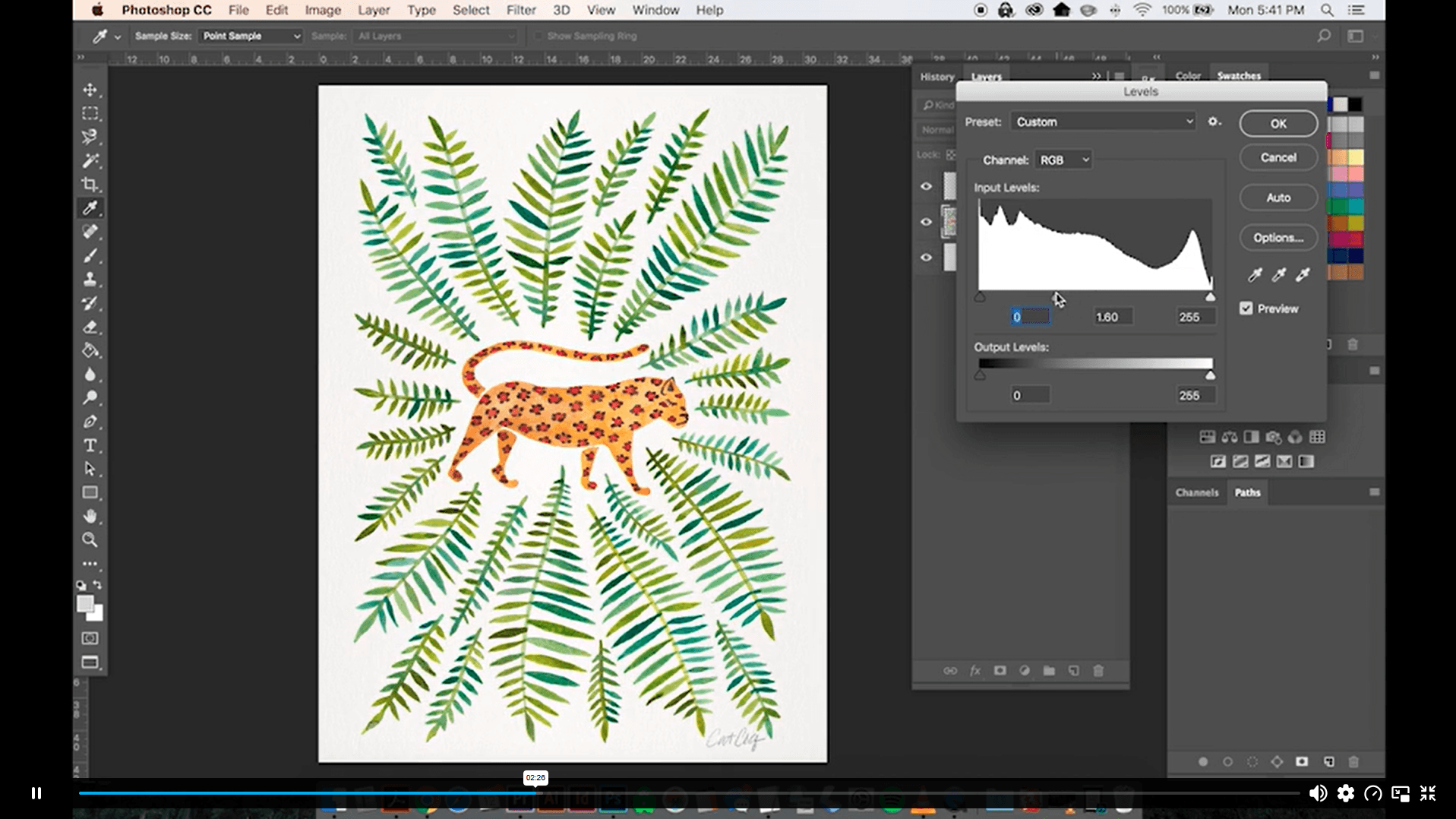
Creative skills power opportunity; the UK creative industries supported around 2.4 million jobs in the year to June 2024. Artwork in Photoshop from Thames College helps learners turn hand-made artwork into cleaner digital assets through scanning, background removal, colour correction and artwork optimisation.

Study this online Photoshop artwork course to combine scans, remove pencil marks, fix errors, create colour variations, build patterns, resize designs for templates and save files for digital or print use. Designed for flexible learning, it supports illustrator, graphic designer, digital artist, surface pattern designer, photographer, content creator, art editor, web designer, print designer and freelance creative routes.

Enrol today and build Photoshop editing confidence for UK design, illustration, craft, content and visual arts pathways with certificate options and portfolio growth.

Key Benefits Included

► Accredited by CPD
► Endorsed by QLS (Quality Licence Scheme)
► Instant Access
► 24/7 Learning Assistance
► Self-paced learning and laptop, tablet, smartphone-friendly
► Fully online, interactive course with audio voiceover
► Developed by qualified professionals in the field

Sneak Peek

Learning Outcomes

This online course helps learners build Photoshop artwork editing, scanning, clean-up, colour correction and pattern design knowledge for creative routes.

By the end of this course, learners will be able to:

► Explain how artwork can be scanned for digital editing.
► Identify ways to combine multiple scans into one image.
► Remove paper backgrounds from scanned artwork.
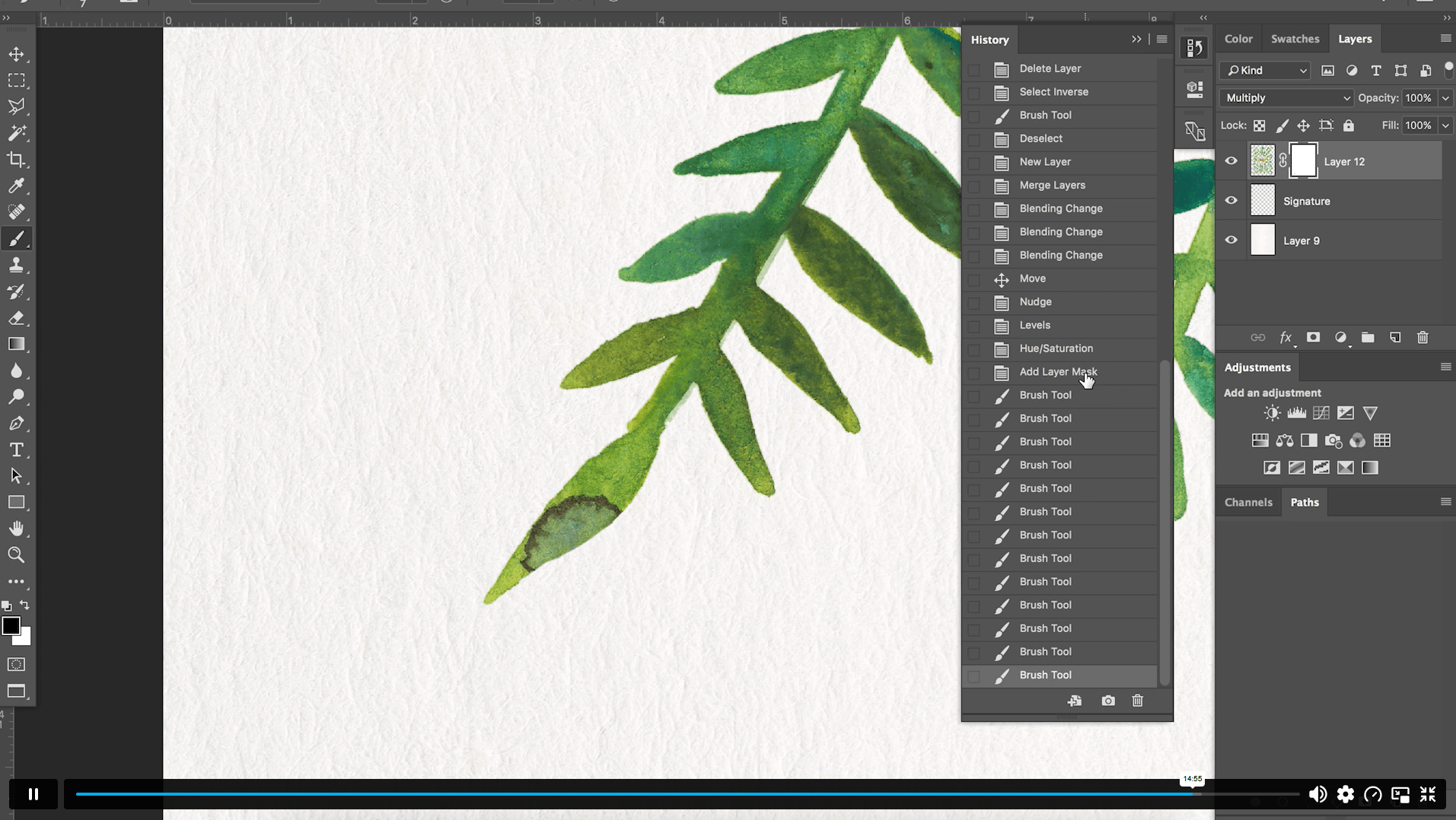
► Clean pencil marks, paint splatters and small errors.
► Apply basic colour correction to digital artwork.
► Create colour variations from edited artwork.

Who is This Course For?

This course suits UK learners who want Photoshop artwork editing knowledge for design, illustration, content creation or personal creative growth.

► Artists who want to digitise hand-made artwork.
► Illustrators learning Photoshop artwork clean-up.
► Graphic design learners building editing confidence.
► Photographers exploring image and artwork adjustment.
► Content creators preparing artwork for online use.
► Craft sellers improving scanned designs.

Certification

CPD Certification

After successfully completing the assessment of this Artwork in Photoshop course, you can apply for the CPD accredited certificates.
PDF certificate: £9.99
Hardcopy certificate: £15.99

Endorsed Certificate of Achievement from the Quality Licence Scheme

Upon successful completion of the Artwork in Photoshop course, you can order an original hardcopy certificate of achievement endorsed by the Quality Licence Scheme. The certificate will be home-delivered, with a pricing scheme of —
► 129 GBP within UK
► 139 GBP for International Delivery — Postal Fees Included

Please Note: Thames College is a One Education approved resale partner for Quality Licence Scheme Endorsed courses

Career Opportunities

This course supports creative, design, illustration and digital content routes where Photoshop clean-up, colour editing and artwork presentation knowledge may add value for UK learners.

► Graphic Designer — Average UK salary: £25,000–£40,000 per year
► Digital Artist — Average UK salary: £29,292 per year
► Surface Pattern Designer — Average UK salary: £36,091 per year
► Photographer — Average UK salary: £17,000–£45,000 per year
► Content Creator — Average UK salary: £29,060 per year
► Art Editor — Average UK salary: £26,000–£40,000 per year

Excellent

4.8 Average - 7 Reviews

★ Reviews
Rhys Morgan
I especially enjoyed experimenting with colours and digital adjustments. The lessons were clearly presented and helped me create several polished variations of my artwork.
Nathaniel Brooks
Resizing artwork for different templates was extremely useful. The final tips also helped me improve the overall quality and presentation of my digital work.

Course Curriculum

Artwork in Photoshop
1. Intro 00:03:00
2. Scanning Your Artwork 00:02:00
3. Cleaning Up Your Work in Photoshop 00:16:00
4. Color Exploration – Digitally Editing in Photoshop 00:07:00
5. Creating Patterns 00:11:00
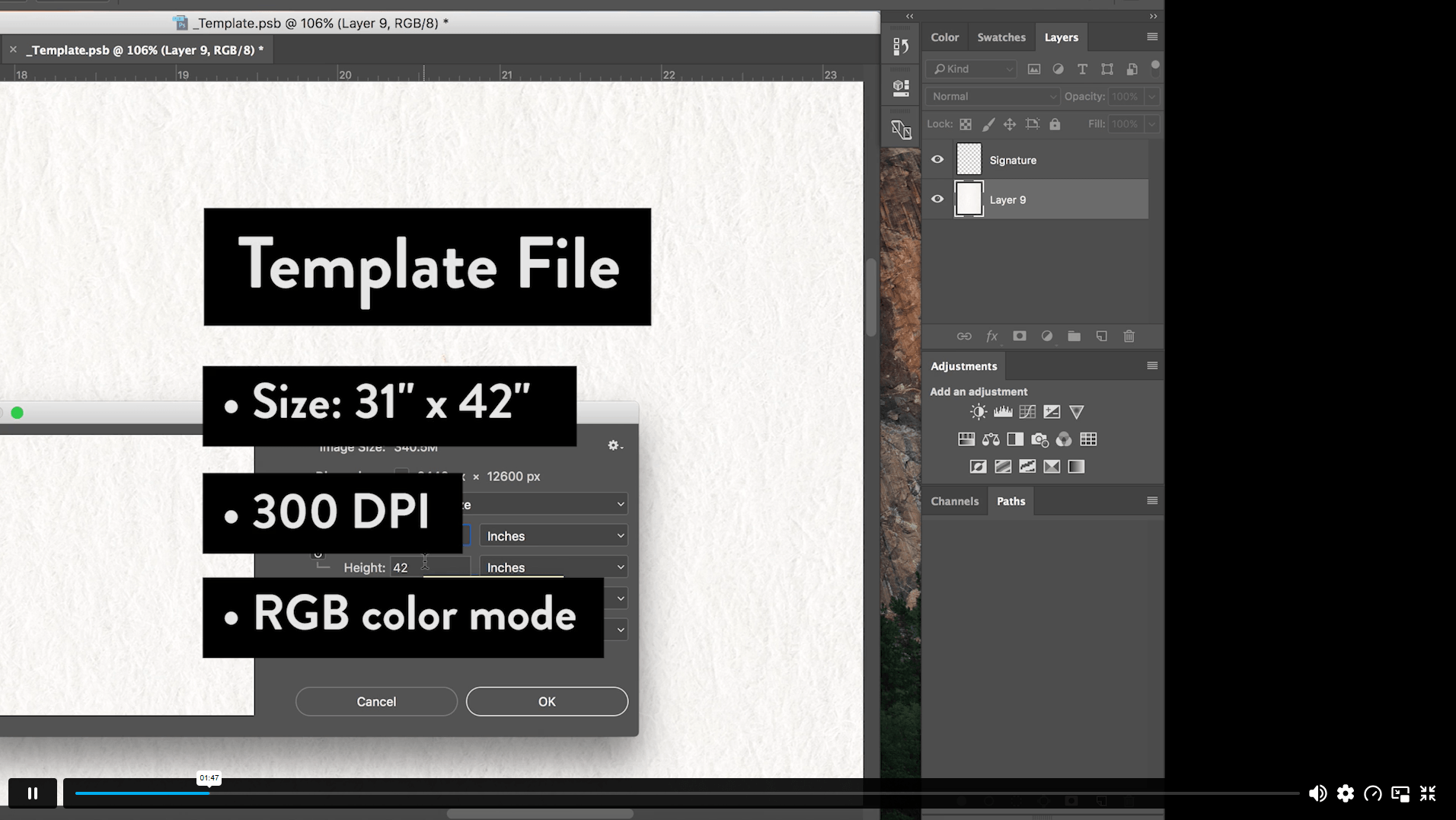
6. Resizing for Various Template Dimensions 00:04:00
7. Final Tips 00:01:00
DigitalGuide-CatCoq 00:05:00

Certificate of Achievement

Upon completion, you will receive a CPD-accredited certificate recognised globally. Choose from:

Pdf Certificate & Transcript  £7.99
Hardcopy Certificate & Transcript  £17.99

This certification validates your knowledge and skills, boosting your employability in healthcare.

Course Reviews

  • 5 stars 0
  • 4 stars 0
  • 3 stars 0
  • 2 stars 0
  • 1 stars 0

4.6

4.6
7 ratings

No Reviews found for this course.

1. What is Artwork in Photoshop? +

Artwork in Photoshop is an online creative course covering artwork scanning, Photoshop clean-up, digital colour editing, pattern creation, template resizing and final file preparation. It supports learners who want to improve hand-made artwork for digital display or print.

2. Is this Artwork in Photoshop course suitable for beginners? +

Yes, this course can support creative beginners. It is suitable for entry-level designers, artists, photographers, content creators and established creatives who want to build confidence in editing hand-made artwork digitally.

3. Can I study Artwork in Photoshop online? +

Yes, Artwork in Photoshop can be studied online through flexible learning. Learners can access course materials on internet-connected devices and study at their own pace around creative projects, portfolio work or personal development.

4. What topics are covered in this Photoshop artwork course? +

The course covers introduction, scanning artwork, cleaning up work in Photoshop, colour exploration, digital editing, pattern creation, resizing for template dimensions, final tips and a digital guide. These topics support artwork editing and file preparation.

5. Will this course help my creative career? +

Yes, Photoshop artwork editing knowledge can support design, illustration, photography, content creation and digital art routes. Career progress depends on portfolio quality, software practice, creative style, experience, client needs and continued development.

top