


Quickbooks and Xero Accounting Course
An online QuickBooks & Xero accounting course teaching cloud bookkeeping fundamentals — from setup and invoicing to bank reconciliation, payroll and reporting — with CPD and QLS certification.
 418 Students

CPD Accredited
All of our courses meet recognised CPD Quality Standards, supporting high-quality learning and ongoing professional development.

QLS Endorsed
The Quality Licence Scheme (QLS) is a recognised accreditation framework that endorses high-quality, non-regulated training courses across a wide range of industries.

Association of Healthcare Trainers
The Association of Healthcare Trainers (AoHT) supports excellence in healthcare education by helping training providers deliver up-to-date, industry-focused learning and maintain strong professional standards..

UKRLP Registered
UKRLP registration demonstrates commitment to recognised training and education standards, helping organisations build trust, improve credibility, and showcase their presence within the UK learning and skills sector.
Course Curriculum
| Quickbook | |||
| Getting prepared - access the software and course materials | |||
| The structure of the course – first things first! | 00:05:00 | ||
| Set up free trial | 00:03:00 | ||
| Getting started | |||
| Starting A New Company File | 00:11:00 | ||
| Setting up the system | |||
| Enter opening balances | 00:02:00 | ||
| Reverse opening balances – accruals and prepayments | 00:06:00 | ||
| Report Journal | 00:05:00 | ||
| Nominal ledger | |||
| Amend The Nominal Ledger | 00:07:00 | ||
| Report listing the nominal ledgers | 00:02:00 | ||
| Customers | |||
| Enter customers | 00:09:00 | ||
| Report on customer contact information | 00:01:00 | ||
| Suppliers | |||
| Enter Suppliers | 00:05:00 | ||
| Supplier Contact List | 00:02:00 | ||
| Sales ledger | |||
| Enter Invoices | 00:09:00 | ||
| Invoice Entering | 00:03:00 | ||
| Invoice batch | 00:06:00 | ||
| Post Sales Credit Notes | 00:08:00 | ||
| Report showing Customer Activity | 00:03:00 | ||
| Aged Debtors | 00:02:00 | ||
| Purchases ledger | |||
| Post Supplier Invoices | 00:03:00 | ||
| Entering a Batch of Supplier Bills | 00:09:00 | ||
| Credit Notes Suppliers | 00:05:00 | ||
| Reclassify Supplier Bills – Flash Bulbs Purchased | 00:04:00 | ||
| Supplier Account Activity Report | 00:04:00 | ||
| Sundry payments | |||
| Post Cheques | 00:07:00 | ||
| Report showing supplier payments | 00:01:00 | ||
| Sundry receipts | |||
| Receipts from customers | 00:07:00 | ||
| Report showing customer receipts | 00:02:00 | ||
| Petty cash | |||
| Post Petty Cash Transactions and Report | 00:04:00 | ||
| Post cash payments to ledgers | 00:02:00 | ||
| Enter petty cash items | 00:14:00 | ||
| Report on Petty Cash Payments Proper | 00:05:00 | ||
| Post Sundry Payments | 00:05:00 | ||
| Report Bank Payments | 00:03:00 | ||
| VAT - Value Added Tax | |||
| VAT Return | 00:03:00 | ||
| Bank reconciliation | |||
| Reconcile The Bank | 00:10:00 | ||
| Provide A Report Showing Any Unreconnciled Transaction | 00:02:00 | ||
| Payroll / Wages | |||
| Post the Wages Journal | 00:08:00 | ||
| Posting Journal Adjustments | 00:02:00 | ||
| Reports | |||
| Month end adjustments | 00:03:00 | ||
| Month end reports | 00:06:00 | ||
| Tasks | |||
| Task- Crearing the accounts | 00:06:00 | ||
| Task – Customer report | 00:01:00 | ||
| Additional Resources | |||
| Course Paper | 00:00:00 | ||
| Further Reading – QuickBooks Online 2014 The Handbook | 00:00:00 | ||
| Xero Accounting | |||
| Getting Prepared - Access the software and course materials | |||
| Introduction To The Course And Your Tutor | 00:04:00 | ||
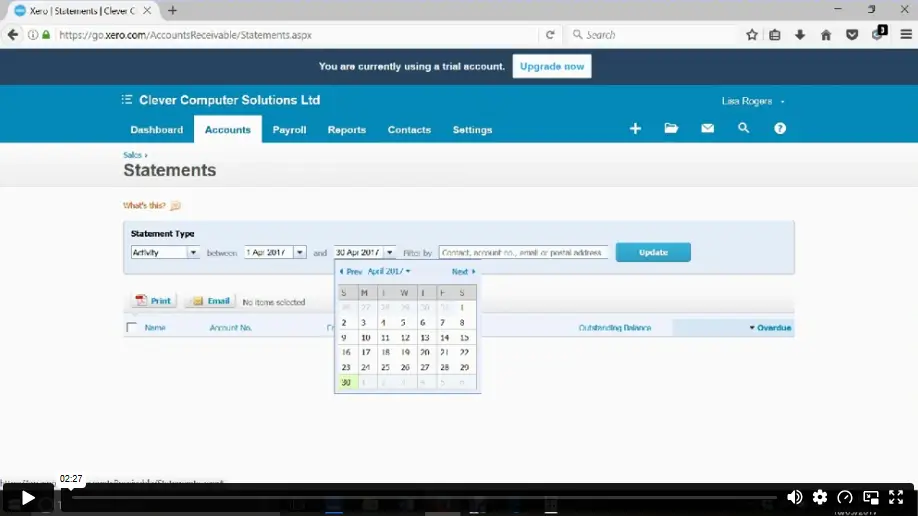
| Activating Your Free Trial With Xero | 00:02:00 | ||
| Getting started | |||
| Signing Up For The Free Trial | 00:04:00 | ||
| Instruction of updated Xero accounting software | 00:00:00 | ||
| Create The Organisation | 00:08:00 | ||
| The Ficticious Scenario | 00:02:00 | ||
| Setting up the system | |||
| Add Bank Accounts To The System | 00:14:00 | ||
| Enter Opening Balances | 00:07:00 | ||
| Opening Trial Balance | 00:01:00 | ||
| Nominal ledger | |||
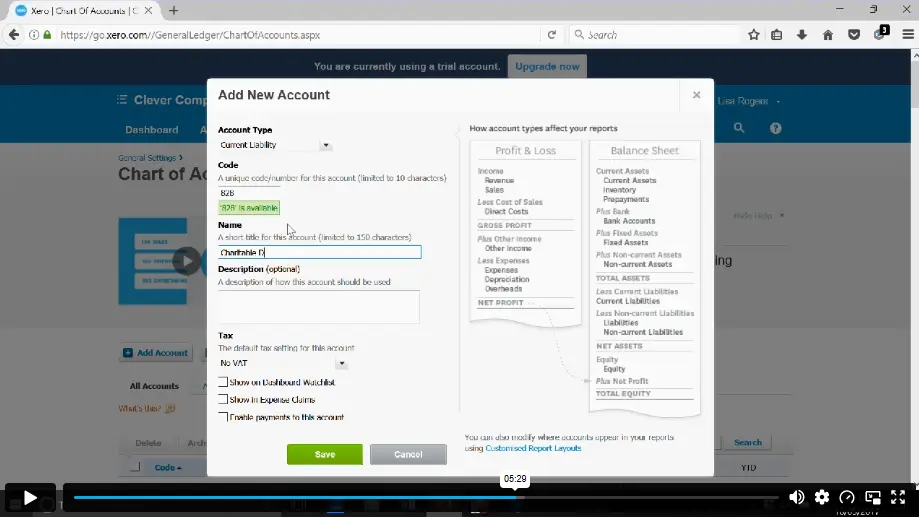
| Amend The Nominal Ledger | 00:06:00 | ||
| Chart Of Accounts Report | 00:01:00 | ||
| Customers & Suppliers | |||
| Enter customers | 00:07:00 | ||
| Reporting Customer And Supplier Information | 00:02:00 | ||
| Sales ledger | |||
| Enter Invoices | 00:07:00 | ||
| Invoicing tips – adding logo, repeat billing | 00:09:00 | ||
| Entering Invoices 6574 to 6610 | 00:16:00 | ||
| Post Credit Notes | 00:03:00 | ||
| Report Showing Customer Activity | 00:08:00 | ||
| Aged Debtors | 00:02:00 | ||
| Suppliers | |||
| Post supplier invoices | 00:09:00 | ||
| Enter suppliers invoices 6028 onwards | 00:14:00 | ||
| Enter More Supplier Invoices No 4308 Onwards | 00:06:00 | ||
| Credit Notes Suppliers | 00:02:00 | ||
| Supplier Activity Report | 00:04:00 | ||
| Aged Creditors Info | 00:01:00 | ||
| Reciepts from Customers | 00:10:00 | ||
| Apply Customer Credit Notes | 00:05:00 | ||
| Purchases ledger | |||
| Post Supplier Cheques | 00:08:00 | ||
| Apply Supplier Credit Notes | 00:03:00 | ||
| Print List Of Bank Receipts And Payments | 00:01:00 | ||
| Sundry payments | |||
| Post Sundry Payments | 00:07:00 | ||
| Make a credit card payment | 00:08:00 | ||
| Petty Cash | |||
| Add Petty Cash Transactions – Week 1 | 00:16:00 | ||
| Add Petty Cash Transactions – Week 2 | 00:12:00 | ||
| Add Petty Cash Transactions – Week 3 | 00:07:00 | ||
| Add Petty Cash Transactions – Week 4 | 00:09:00 | ||
| Imprest System on Petty Cash | 00:04:00 | ||
| Print a Copy of Petty Cash Receipts and Payments | 00:01:00 | ||
| Bad Debt | |||
| Writing Off A Bad Debt – Print Customer Statement | 00:02:00 | ||
| Write Off A Bad Debt | 00:09:00 | ||
| Credit Card | |||
| Reconcile The Credit Card Statement | 00:09:00 | ||
| Bank Reconciliation | |||
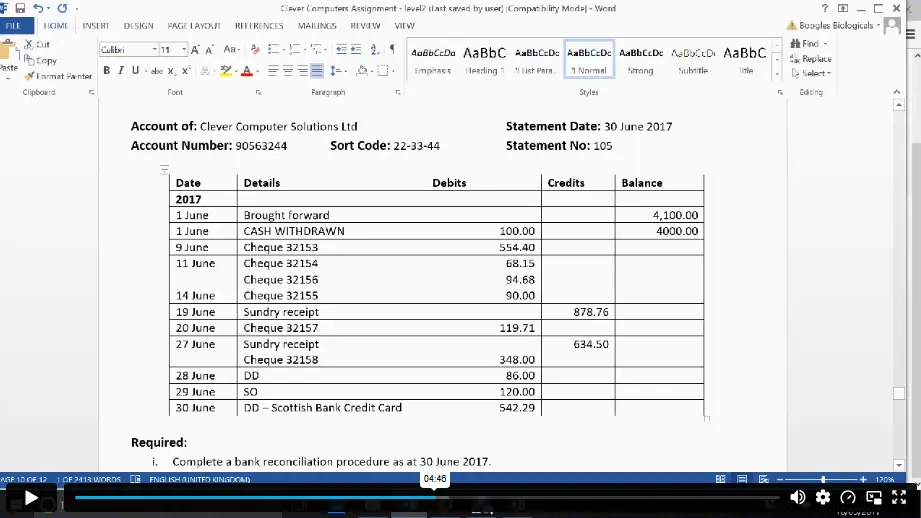
| Bank Statement As A CSV File | 00:27:00 | ||
| Bank Statement Closing Balances | 00:11:00 | ||
| Reconcile The Petty Cash | 00:05:00 | ||
| Payroll / Wages | |||
| Wages And Salaries | 00:09:00 | ||
| Post the Wages Journal | 00:07:00 | ||
| Report Wages Journal | 00:02:00 | ||
| Payday | 00:11:00 | ||
| Pay The Two Staff | 00:05:00 | ||
| VAT - Value Added Tax | |||
| Depreciation | 00:04:00 | ||
| VAT Return | 00:03:00 | ||
| Reports | |||
| Month End Reports PnL, BS, TB | 00:05:00 | ||
| Payroll unit | |||
| Using Payroll | 00:12:00 | ||
| Setting Up Employees | 00:10:00 | ||
| Running Payroll – An Example | 00:14:00 | ||
| Conclude | |||
| Recap And Next Steps | 00:06:00 | ||
| What happens next | 00:02:00 | ||
| Resources | |||
| Resources – Xero Accounting | 00:00:00 | ||
| Assignment | |||
| Assignment – Quickbooks and Xero Accounting Course | 2 weeks, 1 day | ||

The QuickBooks and Xero Accounting Course is an online training programme that teaches learners how both platforms support bookkeeping, invoices, bills, VAT returns, payroll, bank reconciliation and reports for finance, accounts and small business roles.
Yes, this course is suitable for beginners and intermediate learners. It starts with software access, setup, company files and core bookkeeping tasks before moving into customers, suppliers, sales, purchases, VAT, payroll, reports and bank reconciliation.
Yes, the QuickBooks and Xero Accounting Course can be studied online, giving learners flexible access around work, family, job applications or business duties while building bookkeeping and accounting software knowledge at their own pace.
The course covers QuickBooks, Xero, company setup, nominal ledger, customers, suppliers, sales ledger, purchases ledger, sundry payments, petty cash, VAT, bank reconciliation, payroll, wages, reports, bad debt, credit cards, resources and assignment tasks.
Yes, this course can support bookkeeping, accounts, payroll and finance support career pathways by building confidence with two widely used cloud accounting systems. Career progress also depends on experience, employer needs and wider finance knowledge.
Exclusive Deal! 95% Off, Today Only!
Offer Ends Soon
 Take All courses for £49

 Access
 Level
Level
 Number of Units
 Duration
- Original price was: £424.00.£29.99Current price is: £29.99.
- 1 year
- Level 5
- Number of Units103
- Number of Quizzes0
- 2 weeks, 1 day Gift this course
 14-Day Money-Back Guarantee
Exclusive Deal! 95% Off, Today Only!
Discounted Total:- 50% discount for orders of 10+ courses
- 60% discount for orders of 50+ courses
- 70% discount for orders of 100+ courses